Type at the Speed of Thought
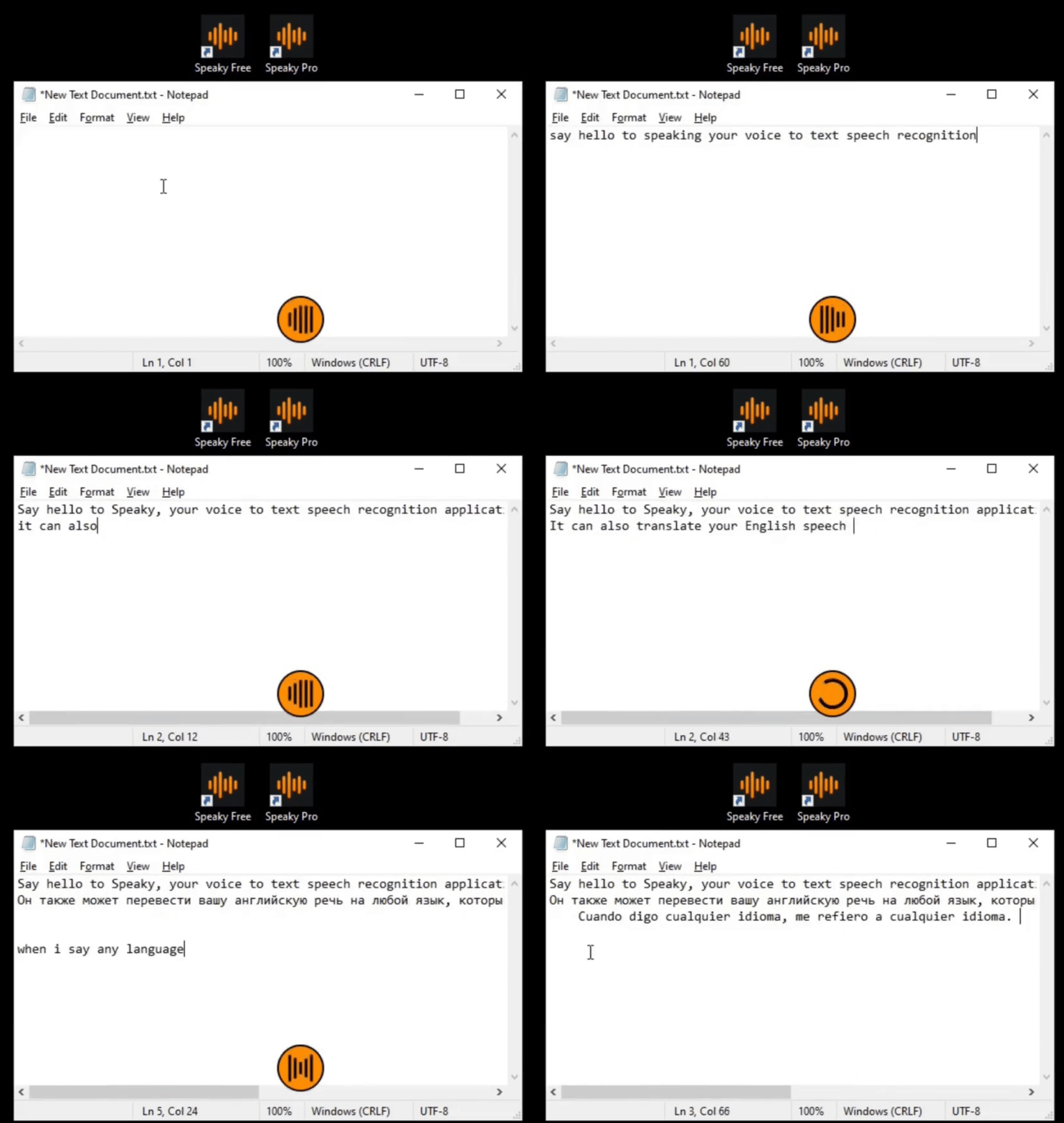
Speak. It types. Completely offline — no cloud, no subscriptions, zero data collection. Supports 90+ languages including real-time translation. Just hold F9 and speak.
Focus on what matters
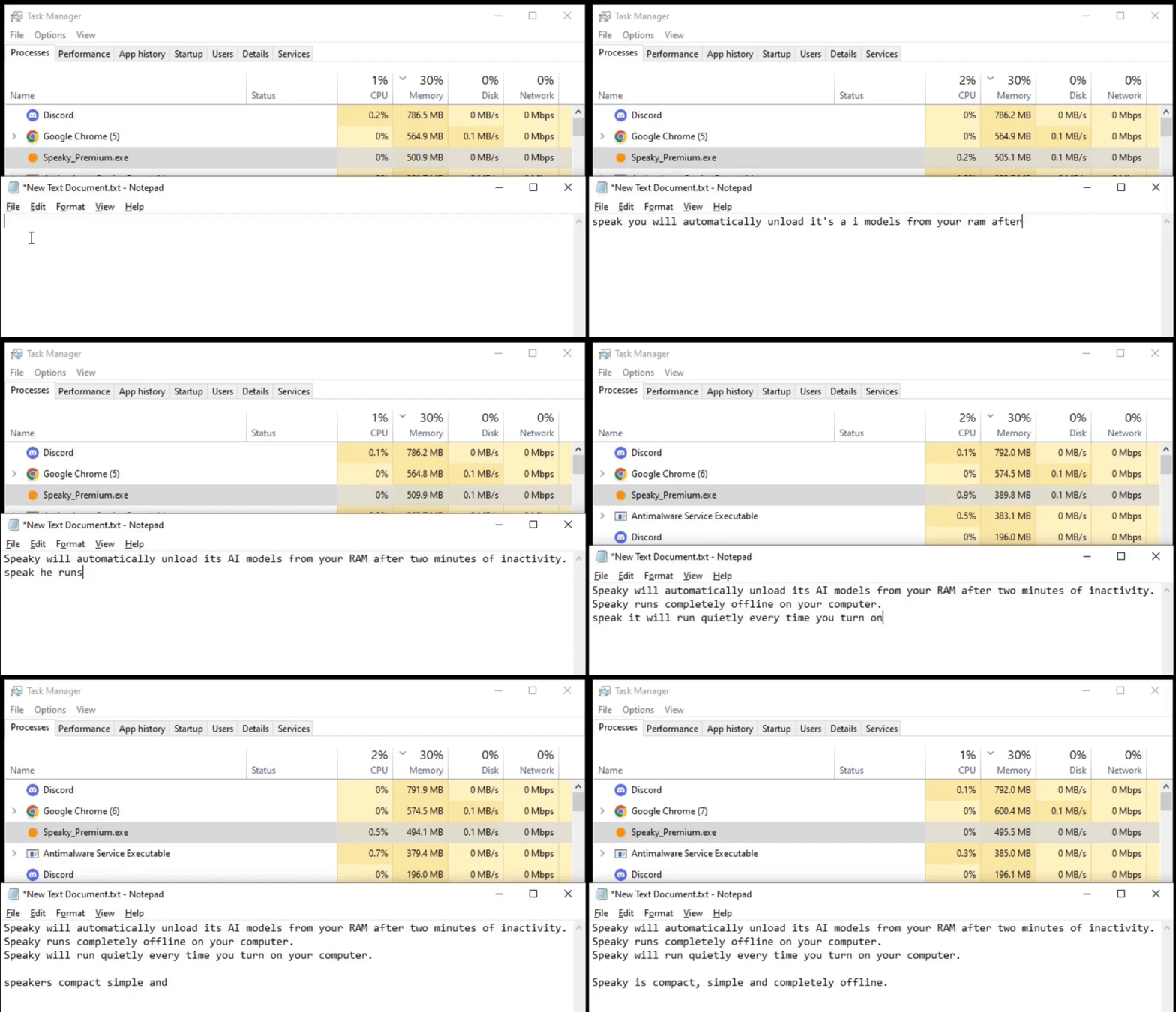
100% Offline Privacy
Your voice never leaves your computer. No internet required, no data collection, no cloud processing. Total security for your thoughts.
Smart Cleanup
Automatically removes "um", "uh", and "like". Fixes grammar and flow in real-time.
Offline Translation
Speak in your language, type in English. Or vice versa. Supports 90+ languages completely offline.
Custom Vocabulary
Pro feature: Add names, technical terms and acronyms for perfect accuracy every time.
Direct Injection
Types directly into any app. Word, Slack, Notion or your favorite IDE.
Instant Start
Runs in the background. Ready the moment you hold your hotkey.
Seriously, it's dead simple
Install Speaky
Download and run the installer. Windows may show a SmartScreen prompt — that's normal for any independently-distributed app. Click "More info" → "Run anyway".
Set Your Hotkey
Choose your preferred key combination (default is F9) in the settings.
Hold n' Speak
Hold the hotkey, say what's on your mind and watch it appear as text in your selected field.
Real humans, real words
"Speaky has been incredibly helpful for me. I write emails 3x faster."
"The offline aspect is huge for me. I deal with sensitive data and the fact that it processes everything on my computer is crucial."
"i am so glad this is free and offline"
"The install spooked me but this works great"
"This is the perfect tool for my use"
Simple Pricing. Pay Once. Own Forever.
Speaky
- Standard Tiny/Base models
- Unlimited offline use
- Auto-punctuation & Dates
- Smart Cleanup included
- Core features free, forever.
Speaky Pro
- All Models (Tiny to Large-v3)
- Custom Vocabulary support
- Auto & Keyboard language modes
- Priority Accuracy
- Lifetime Updates
Speaky Team
- Up to 15 users
- Centralized license management
- Priority Support
- Custom Deployment
Why people choose Speaky
Most speech recognition software sends your audio to cloud servers the moment you press record — your voice data goes to Google, Microsoft, or Amazon. Speaky is different. It runs completely offline using Whisper AI, processing everything locally on your Windows PC. No internet connection needed after installation, no data ever collected, no subscription fees.
Whether you're a writer or blogger dictating drafts, a developer who wants hands-free coding notes, a student taking lecture notes, a content creator scripting videos, someone with RSI or accessibility needs, or simply anyone who values privacy — Speaky works for you. It types directly into any app: Word, Slack, Notion, VS Code, your browser, anywhere.
Searching for the best offline speech to text for Windows, a Dragon NaturallySpeaking alternative without the $699 price tag, or a private voice typing tool that never phones home? Speaky is a one-time purchase of £25 with lifetime updates, 90+ languages, and offline translation built in.
Got questions? I've got answers.
Why does Windows flag the installer?
Totally normal! Speaky is a new app. Windows Defender flags anything it hasn't seen a million times yet. Just click "More info" → "Run anyway" and you're good.
Does Speaky need internet?
Nope. Zero, zilch. Everything runs on your machine. Airplane mode? No problem.
What languages are supported?
90+ languages — English, Spanish, French, German, Russian, and way more. Full list in the app settings.
How does Speaky compare to Dragon NaturallySpeaking?
Dragon is powerful but costs $699+, requires cloud processing, and doesn't do translation. Speaky is £25 one-time, completely offline, and translates between 90+ languages. For privacy-conscious users on Windows, Speaky is the better fit.
How is Speaky different from Google Voice Typing?
Google Voice Typing is cloud-based — your voice data gets sent to Google's servers. Speaky processes everything locally on your computer. Zero data leaves your machine. Plus, Speaky works in any application, not just the browser.
Can Speaky replace Windows built-in dictation?
Yes. Windows Dictation sends data to Microsoft and has limited language support. Speaky is completely offline with 90+ languages, smart cleanup, custom vocabulary, and translation built in.
Is it really a one-time payment?
Yep. Pay once, own it forever. No subscriptions, no surprise charges. I hate those too.
Ready to ditch the keyboard?
Hundreds of people already type at the speed of thought. Join them.
Get Speaky Pro Now